
parvez gsm
Thursday, 27 April 2017

Monday, 10 April 2017

Saturday, 24 September 2016

Sunday, 12 June 2016

Thursday, 24 March 2016

Tuesday, 26 January 2016
intex aqua 3g pro hard reset

1. Press Volume Down Key And Press Power On/Off Button For few seconds.
2. Release Power On/Off Button When You Will See The Back Light On LCD.But
Keep Pressing Volume Down Key Until You See Safe mode On Left Bottom
Screen As Shown In Picture.
If Your Above Process Is Correct You Will Be In MMI TEST Mode 3. Touch on 'SMT' For Next Menu.
4. You will Get Factory Test As shown in Picture. 5. Scroll Down. To See Restore The Factory Settings. 6. Finally Press on Restore The Factory Settings.
Sunday, 27 December 2015
HOW TO BYPASS SAMSUNG GOOGLE VERIFY ACCOUNT


put apk file in pendrive
power on phone connect otg cable to phone
when u connect cable otg cable shows on phone
now find apk file and install in the phone
after u install app automatic promoted to setting menu
now reset phone through setting menu
after set your phone as in new condition
Thursday, 24 December 2015

Tuesday, 24 November 2015

Saturday, 8 August 2015


Friday, 7 August 2015

Thursday, 1 January 2015


Thursday, 25 December 2014
blackberry curve 8520 full flashing


download blackberry desktop software
download here
download firmware
link 1
link 2
link 3 india
link 4 bhartia airtel
watch on youtube how to fash
Saturday, 20 December 2014


Saturday, 13 September 2014
samsung google naxus sph l700 hard reset

press vol+ and vol- and power on
when vibrates remove hand from all keys
here android logo comes
select recovery and press ok


Monday, 8 September 2014


Sunday, 7 September 2014


Friday, 5 September 2014
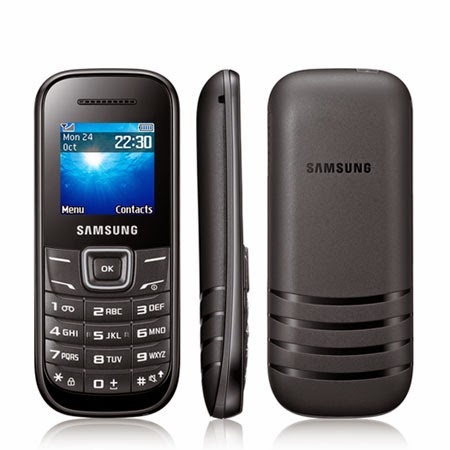
samsung b310e spd cpu 6530 phone lock


use usb cable tick 6530 cpu in spd
click start press middle key and connect cable
press middle key for boot
install all drivers
============= xxxxxxxxxxxxx=============
if any wrong ways set goes complete dead not taking usb port so do this steep

take pinout from dragon box flash with z3x box
first write flash in z3x box now press 5/6 times rad info or write flash in
after flashing flashing with z3x now flash with miracle box with jig pin use box + -

dont pinout in box direct flash it
goto spd tab select 6530 cpu then write flash
ok tested by me --- enjoy
Subscribe to:
Posts (Atom)